FREE JPG to PNG Converter: Change JPG to PNG Online
Need a FREE PNG instead of a JPG? Maybe for a transparent background, a crisp logo, or a format a tool demands. The JPG to PNG converter below does it in your browser in one step. Drop in a JPG, and it gives you a PNG to download. No upload, no watermark, no sign-up.
JPG to PNG converter: convert in one step
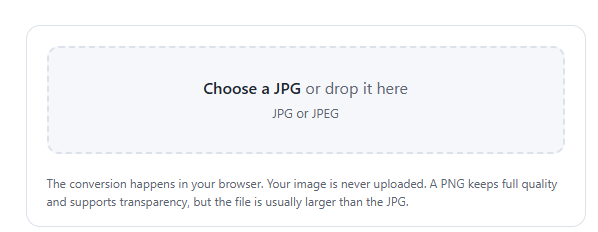
Choose a JPG and the converter turns it into a PNG right away, with a preview and the file size.
When you need a JPG to PNG converter
A JPG to PNG converter earns its place in a few spots. PNG supports transparency, so if you need to drop a background out later, you want PNG, not JPG. PNG is also lossless, which keeps text, logos, and sharp lines crisp, while JPG can blur them with compression artifacts. Some design tools, printers, and upload forms also accept PNG only. In all these cases, converting the JPG first saves you trouble.
One thing to know: converting a JPG to PNG does not add back quality that the JPG already lost. The JPG to PNG converter gives you a clean PNG copy, but it can’t recover detail that compression removed. The PNG also tends to be larger, since it stores the image losslessly.
YouTube Thumbnail Resizer: Make a Perfect 1280×720 Thumbnail
Frequently asked questions
Does converting JPG to PNG improve quality?
No. The converter makes a lossless PNG copy, but it can’t restore detail the JPG already lost to compression. It stops further quality loss and gives you transparency support, but the picture won’t look sharper than the original JPG.
Why is my PNG bigger than the JPG?
Because PNG is lossless. It stores every pixel exactly, while JPG discards detail to save space. For photos, the PNG is often two to five times larger. That’s the trade-off for keeping full quality and transparency.
Is the JPG to PNG converter free and private?
Yes. It’s free with no sign-up or watermark, and it runs entirely in your browser. Your image is never uploaded, so you can convert private or client files safely.
Can I convert PNG back to JPG?
Yes, though this tool goes JPG to PNG. To go the other way, use an image compressor set to JPG output, which re-saves the PNG as a JPG and usually makes the file smaller.
How to Use ChatGPT to Earn Money From Your Blog Without Hurting Your Rankings